Mischief Pet
A downloadable project for Windows, macOS, and Linux
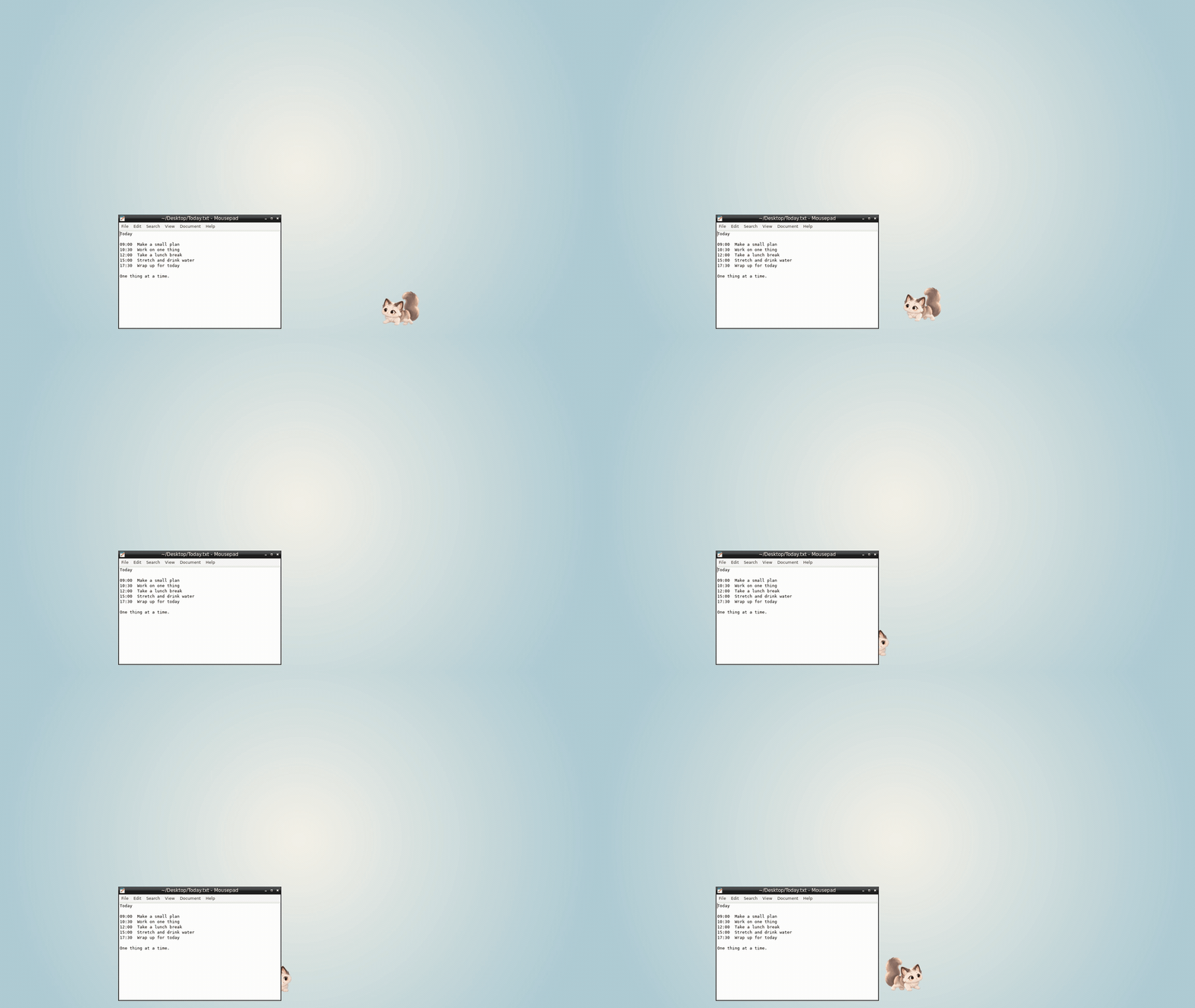
A tiny desktop cat for Windows, macOS and Linux (beta). It roams your screen, peeks from behind windows, eats, naps and keeps you company while you work — without touching your work.
Free
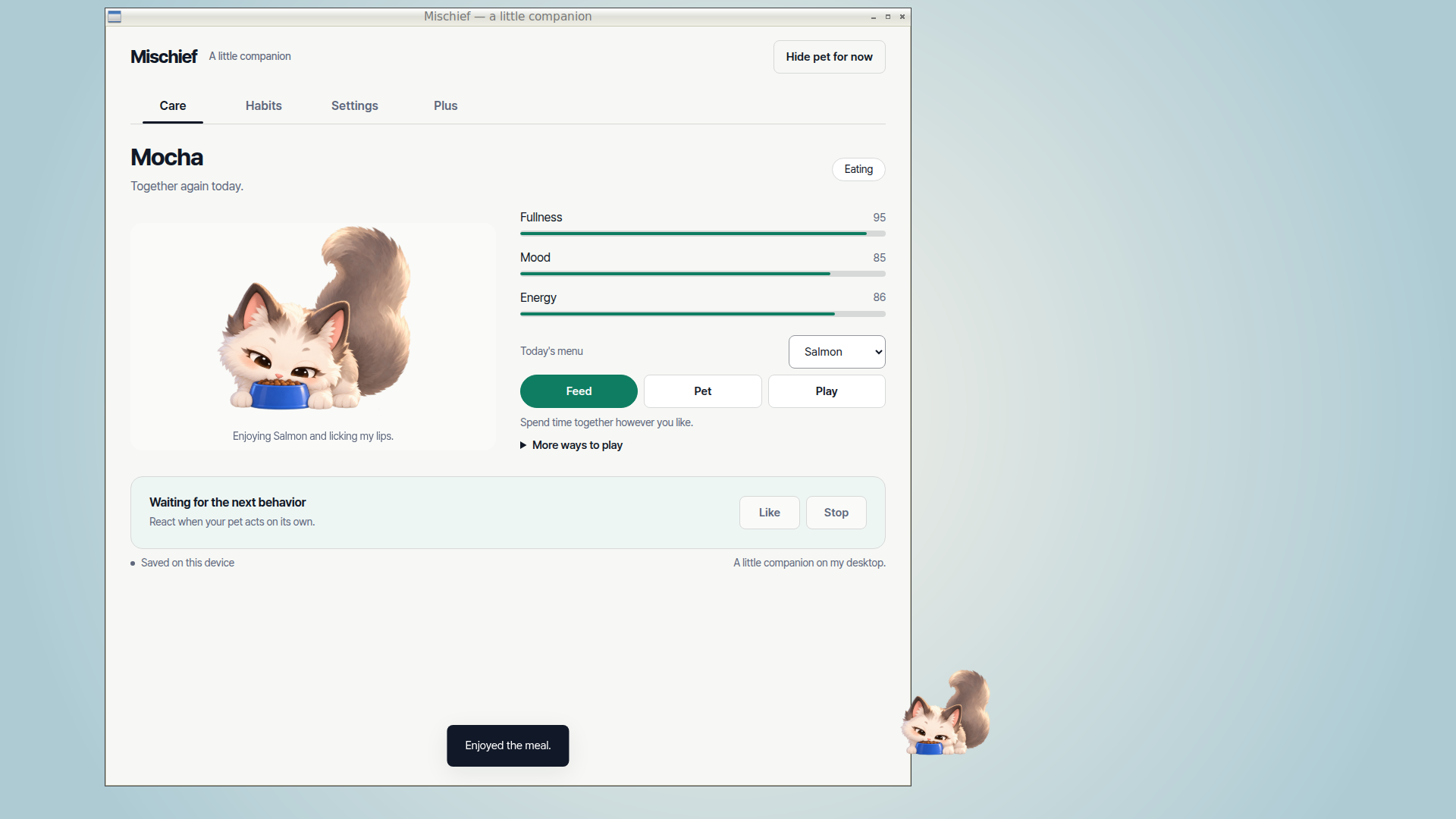
- 23 high-resolution transparent sprite frames: walk, idle, eat, sleep, pet, groom, jump, hide
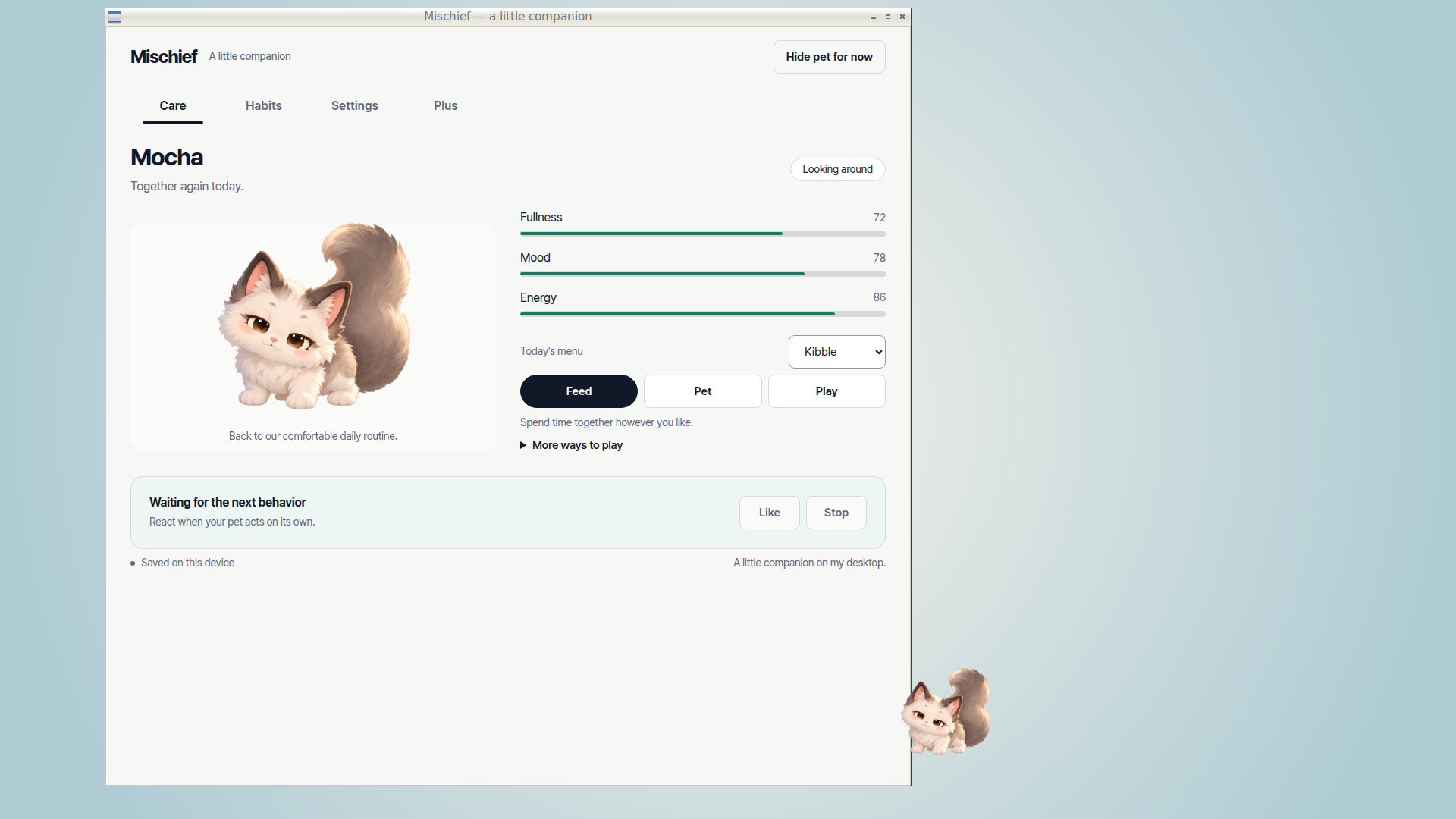
- Click to pet, feed and name your cat; care and personality are saved on your device
- Windows tray / Mac menu-bar and right-click menu, drag to move, instant hide with Ctrl+Shift+H on Windows/Linux / ⌘+Shift+H on Mac
- Reduced-motion setting, no forced startup, no account
- Try Plus: 3 Focus Buddy sessions and 3 Window Perch uses On Linux, Window Perch requires X11 (EWMH window manager with restacking, libX11, 100% display scaling / scale 1); not available on Wayland.
Plus (optional, one-time US$4.99 launch price)
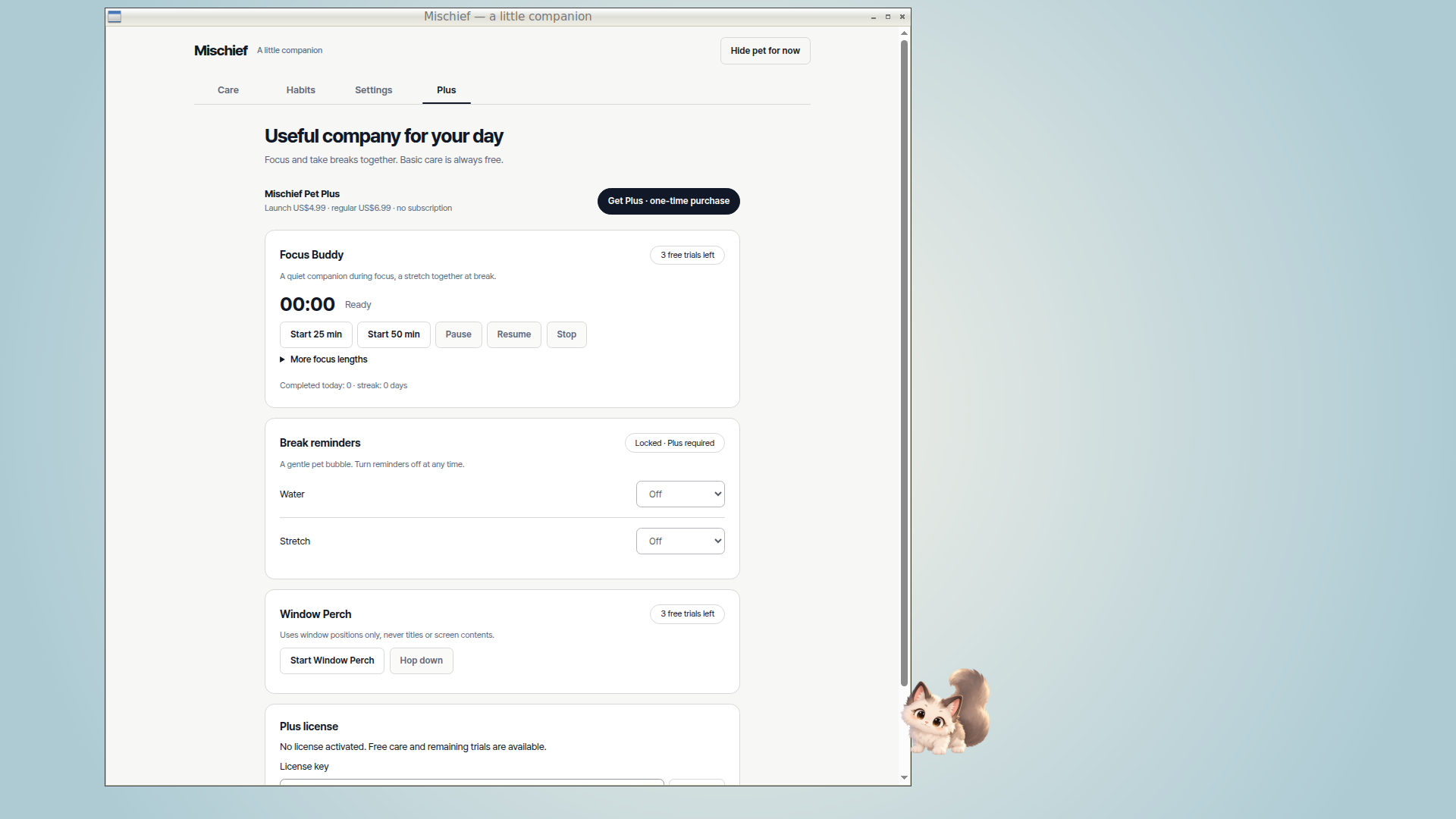
- Focus Buddy: 15/25/45/50-minute focus and break cycles with a daily streak
- Water and stretch reminders: off or every 30/45/60/90 minutes
- Window Perch: your cat sits on top of a window and follows it when you move it On Linux, Window Perch requires X11 (EWMH window manager with restacking, libX11, 100% display scaling / scale 1); not available on Wayland.
Plus is sold on our Gumroad page: Get Mischief Pet Plus. Enter the license key from your receipt in the app's Plus tab. No subscription.
Mischievous, not intrusive
- Never reads other apps, window titles, your screen or microphone.
- Never moves your files, types keys or takes over your cursor.
- Network is used only to check a Gumroad license after you enter a key, and for anonymous usage statistics if you opt in (off by default).
Windows install / uninstall
- Recommended: Mischief-Pet-Setup-0.5.1.exe — installs for your Windows user, no admin rights. Or fully extract Mischief-Pet-0.5.1-Windows-x64.zip, keep all files together and run MischiefPet.exe.
- The Windows build is not code-signed, so Windows SmartScreen may warn. Confirm the official download source and, only if you trust it, choose More info → Run anyway. Do not disable Windows security or bypass work/school device policies.
- Quit from the tray menu, then uninstall in Windows Settings → Apps. For the ZIP, quit and delete the extracted folder. Local pet saves are kept; export anything important from Settings first.
macOS install / uninstall
- Apple silicon: Mischief-Pet-0.5.1-macOS-arm64.dmg. Intel: Mischief-Pet-0.5.1-macOS-x64.dmg. Open the DMG, drag Mischief Pet to Applications and launch.
- ZIP alternatives: Mischief-Pet-0.5.1-macOS-arm64.zip (Apple silicon) / Mischief-Pet-0.5.1-macOS-x64.zip (Intel). Fully extract the ZIP, move the app to Applications and launch.
- Developer ID-signed and notarized by Apple. The first time you open it, macOS may ask you to confirm — that is normal for apps downloaded outside the App Store. Runs from the menu bar with no Dock icon. Hide instantly with ⌘+Shift+H.
- Before removal, quit from the menu-bar menu, then delete Mischief Pet from Applications. Local saves remain in
~/Library/Application Support. Export anything important from Settings first.
Linux beta install / uninstall (.deb only)
Linux beta (.deb only): choose mischief-pet_0.5.1_amd64.deb for x64 or mischief-pet_0.5.1_arm64.deb for arm64. Install with sudo apt install ./mischief-pet_0.5.1_amd64.deb (or sudo apt install ./mischief-pet_0.5.1_arm64.deb). Launch “Mischief Pet” from the app menu (Utility/Amusement). Quit before uninstalling with sudo apt remove mischief-pet; local saves remain in ~/.config. Hide with Ctrl+Shift+H. Plus uses the same Gumroad license key in the app’s Plus settings; initial verification needs internet. Linux beta packages are not code-signed. The floating desktop pet needs an X11 session with a compositor (standard Ubuntu desktops have one); on Wayland there is no desktop overlay or Window Perch; the app runs in an ordinary window. Tested on Ubuntu 24.04 (x64 and arm64) with the Chromium sandbox enabled; other Debian-based distributions are untested. On Linux, Window Perch requires X11 (EWMH window manager with restacking, libX11, 100% display scaling / scale 1); not available on Wayland. Installing the .deb adds a root-owned setuid Chromium sandbox helper and an AppArmor profile that allows user namespaces for the Mischief Pet executable only, so the app can run with its sandbox enabled on Ubuntu 24.04. Run Mischief Pet as your normal desktop user — never with sudo. sudo apt remove mischief-pet removes both.
Requirements: Windows 10/11 x64 or macOS 12 or later (Apple silicon/Intel). Tested on macOS 26. Linux beta is available for x64/arm64 (.deb only). English and Korean UI.
한국어
작은 동거인, 나의 바탕화면. 창 뒤에서 빼꼼, 바탕화면에서 사뿐사뿐. 밥 주고 쓰다듬으며 함께 지내는 Windows·macOS·Linux(베타) 데스크톱 고양이입니다. 기본 기능은 무료이고 저장은 내 기기에만 남습니다. 집중 친구·휴식 알림·창 위에 앉기는 선택형 일회 구매 Plus(US$4.99)입니다. Linux의 창 위에 앉기는 X11 세션(EWMH 창 관리자와 재적층, libX11, 화면 배율 100% / scale 1)에서만 작동하며 Wayland에서는 사용할 수 없습니다.
Windows 설치·제거: Mischief-Pet-Setup-0.5.1.exe로 현재 사용자에게 설치하거나 Mischief-Pet-0.5.1-Windows-x64.zip의 전체 압축을 풀고 모든 파일을 같은 폴더에 유지한 채 MischiefPet.exe를 실행하세요. Windows 배포본은 코드 서명이 없어 SmartScreen 경고가 나타날 수 있습니다. 공식 다운로드인지 확인하고 신뢰하는 경우에만 추가 정보 → 실행을 선택하세요. 보안을 끄거나 조직 정책을 우회하지 마세요. 트레이 메뉴에서 종료한 뒤 Windows 설정 → 앱에서 제거하세요. ZIP은 종료 후 풀었던 폴더를 삭제합니다. 로컬 저장은 유지됩니다.
macOS 설치·제거: Apple silicon은 Mischief-Pet-0.5.1-macOS-arm64.dmg, Intel은 Mischief-Pet-0.5.1-macOS-x64.dmg를 받으세요. DMG를 열고 Mischief Pet을 응용 프로그램(Applications)으로 드래그한 뒤 실행하세요. ZIP 대안은 Mischief-Pet-0.5.1-macOS-arm64.zip / Mischief-Pet-0.5.1-macOS-x64.zip입니다. 전체 압축을 풀고 앱을 Applications로 옮겨 실행하세요. Mac 앱은 Developer ID로 서명되고 Apple 공증을 받았습니다. 처음 열 때 macOS가 열기 확인을 물을 수 있으며, App Store 밖에서 받은 앱의 일반적인 절차입니다. Dock 아이콘 없이 메뉴 막대에서 작동하며, 제거 전 메뉴 막대 메뉴에서 종료한 뒤 Applications의 앱을 삭제하세요. 로컬 저장은 ~/Library/Application Support에 남습니다. 중요한 데이터는 설정에서 먼저 내보내세요.
Linux 베타 설치·제거 (.deb 전용): Linux 베타(.deb 전용): x64는 mischief-pet_0.5.1_amd64.deb, arm64는 mischief-pet_0.5.1_arm64.deb를 받으세요. sudo apt install ./mischief-pet_0.5.1_amd64.deb 또는 sudo apt install ./mischief-pet_0.5.1_arm64.deb로 설치하고 앱 메뉴(Utility/Amusement)에서 “Mischief Pet”을 실행하세요. 앱을 종료한 뒤 sudo apt remove mischief-pet으로 제거하세요. 로컬 저장은 ~/.config에 남습니다. Ctrl+Shift+H로 숨길 수 있습니다. Plus는 앱 Plus 설정에 같은 Gumroad 라이선스 키를 입력해 활성화하며 최초 확인에는 인터넷이 필요합니다. Linux 베타 패키지는 코드 서명이 없습니다. 떠다니는 바탕화면 펫에는 컴포지터가 있는 X11 세션이 필요합니다(표준 Ubuntu 데스크톱에는 컴포지터가 있습니다). Wayland에서는 바탕화면 오버레이와 창 위에 앉기를 사용할 수 없으며 앱은 일반 창으로 실행됩니다. Chromium 샌드박스를 켠 Ubuntu 24.04(x64·arm64)에서 테스트했으며 다른 Debian 계열 배포판은 테스트하지 않았습니다. Linux의 창 위에 앉기는 X11 세션(EWMH 창 관리자와 재적층, libX11, 화면 배율 100% / scale 1)에서만 작동하며 Wayland에서는 사용할 수 없습니다. .deb 설치 시 root 소유 setuid Chromium 샌드박스 도우미와 Mischief Pet 실행 파일에만 사용자 네임스페이스를 허용하는 AppArmor 프로필이 추가되어 Ubuntu 24.04에서 샌드박스를 켠 채 실행할 수 있습니다. Mischief Pet은 일반 데스크톱 사용자로 실행하고 절대 sudo로 실행하지 마세요. sudo apt remove mischief-pet으로 둘 다 제거됩니다.
즉시 숨기기: Windows/Linux Ctrl+Shift+H / Mac ⌘+Shift+H. 지원 OS: Windows 10/11 x64 또는 macOS 12 이상(Apple silicon/Intel), macOS 26에서 테스트. Linux 베타(x64/arm64, .deb)를 제공합니다. 한국어·영어 UI를 제공합니다. Plus는 Gumroad 영수증의 키를 앱 Plus 탭에 입력해 활성화하며 최초 확인에는 인터넷이 필요합니다.
Website: mischiefpet.neogenesis.app · Support: mischiefpet@neogenesis.app · Made by Neo Genesis, Seoul.
Download
Development log

Leave a comment
Log in with itch.io to leave a comment.